

🚶 Motion Sensor
Add a PIR sensor to detect movement.
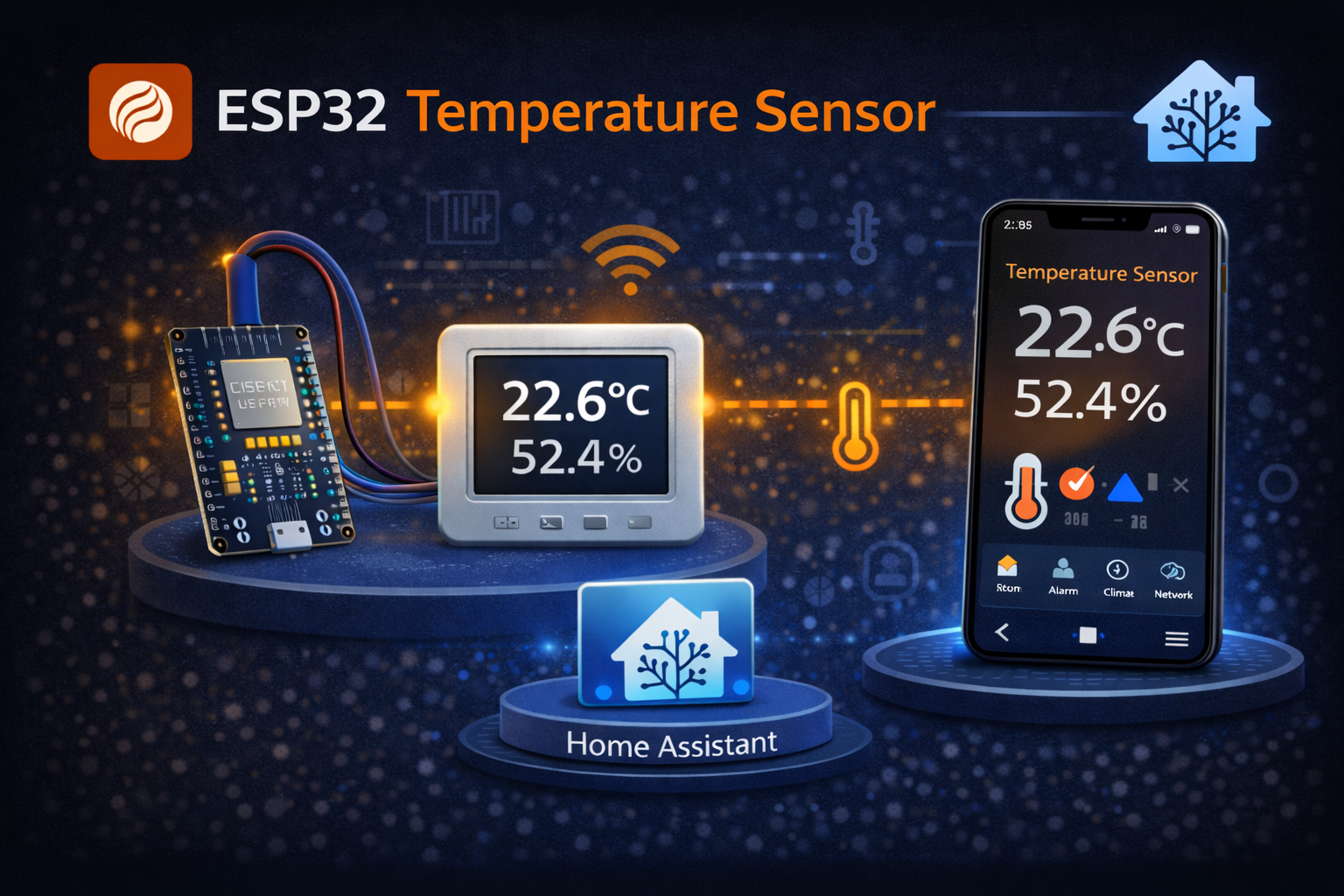
A temperature/humidity sensor is a good place to start: three wires, a handful of YAML lines, and you have live readings from the room in Home Assistant. The parts cost around $10.
Before you start:
| Part | Description | Approx. price |
|---|---|---|
| ESP32 DevKit | WiFi microcontroller | $5 |
| DHT22 sensor | Temperature + humidity | $3 |
| Jumper wires | 3x male-female | $2 |
| Total | ~$10 |
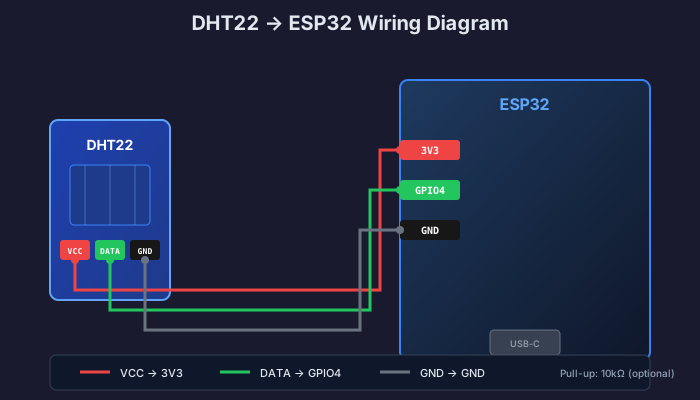
Red wire (VCC/+) → ESP32 3.3V pin
Yellow/white wire (DATA/OUT) → ESP32 GPIO4 pin
Black wire (GND/-) → ESP32 GND pin
Open your device in ESPHome and add this sensor configuration:
esphome:  name: living-room-sensor  friendly_name: Living Room Sensor
esp32:  board: esp32dev
logger:api:  encryption:    key: "your-key-here"ota:  platform: esphome
# DHT22 Sensorsensor:  - platform: dht    pin: GPIO4    model: DHT22    temperature:      name: "Living Room Temperature"      filters:        - offset: 0.0  # Adjust if needed    humidity:      name: "Living Room Humidity"    update_interval: 60s
wifi: ssid: "your-wifi" password: "your-password"For outdoor or in-liquid measurements, a waterproof DS18B20 is a better choice than the DHT22. It uses 1-wire and needs a 4.7 kΩ pull-up resistor between DATA and 3.3V:
one_wire:  - platform: gpio    pin: GPIO4
sensor:  - platform: dallas_temp    name: "Living Room Temperature"    update_interval: 60s
With only one sensor on the bus you can leave out address. Note that the DS18B20 only measures temperature, not humidity.
Go to Settings → Devices & Services
Find your ESP32 device and click it
You should see two new sensors:
sensor.living_room_temperaturesensor.living_room_humidityClick a sensor to see its graph over time
type: sensorentity: sensor.living_room_temperaturename: Living roomicon: mdi:thermometergraph: linehours_to_show: 24type: glanceentities: - entity: sensor.living_room_temperature name: Temperature - entity: sensor.living_room_humidity name: Humiditytitle: Living Room Climate| Tip | Explanation |
|---|---|
| Placement | Avoid direct sunlight, radiators, and windows |
| Height | Mount at ~1.5 m for room temperature |
| Airflow | Not in corners or behind furniture |
| Update interval | 60s is fine, the DHT22 can be read at most every 2 seconds |
automation: - alias: "High humidity alert" trigger: - platform: numeric_state entity_id: sensor.living_room_humidity above: 70 for: "00:30:00" action: - service: notify.mobile_app_your_phone # replace with your own device's notify service data: title: "⚠️ High humidity" message: "Humidity in the living room is {{ states('sensor.living_room_humidity') }}%"Replace notify.mobile_app_your_phone with the name of your own phone’s notify service - you can find it under Developer Tools → Actions.
🚶 Motion Sensor
Add a PIR sensor to detect movement.
💡 LED Strip
Control addressable RGB LEDs based on temperature.
SmartBolig // AI Core
Get help with troubleshooting, architecture and concrete configuration. I use broad AI knowledge and find SmartBolig guides when they improve the answer.
Start with a useful question